PREMIER Credit Card
- 4.6
- Rating
- 1.00M
- Installs
- Free
- Price

 Analysis by App-foxy
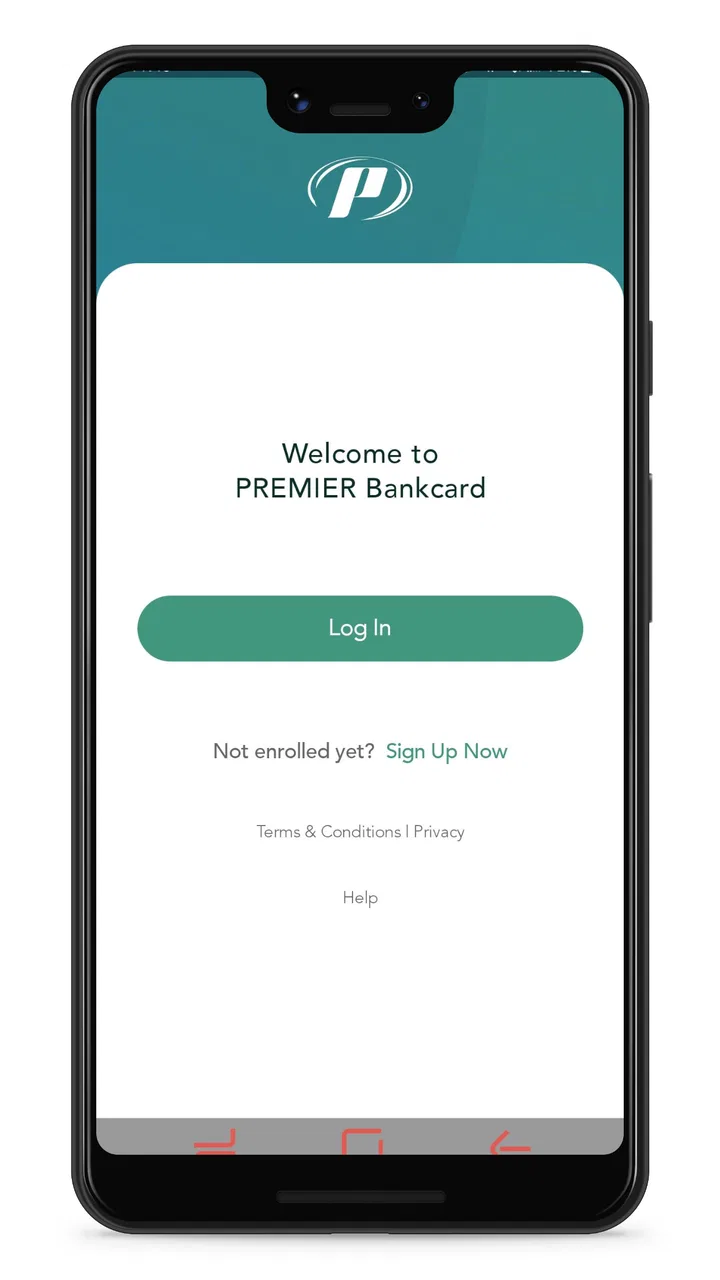
Managing a credit card from a phone is useful only when the app gets out of the way. I installed PREMIER Credit Card to see whether it feels like a practical account tool rather than another financial app that turns a simple check into a long process. My overall impression is focused and straightforward: it is built for people who use a PREMIER Bankcard account and want to handle routine card tasks from almost anywhere.
This is a free finance app from PREMIER Bankcard, with an Everyone age rating. It has attracted more than a million installs and holds a 4.6 average from roughly 251 thousand ratings, with about 16 thousand written reviews. Those figures suggest that the app has become a familiar companion for many cardholders, although popularity alone does not guarantee that it will match every user’s expectations.
What I like most is the narrow purpose. It is not trying to be a full budgeting suite, an investing dashboard, or a replacement for every financial service on my phone. Instead, it concentrates on access to a PREMIER card account. That focus helps the experience feel less cluttered, but it also means the app is a poor fit if you want broad money management in one place.
You May Also Like

 Blood Strike: 2.5 Anniversary
Blood Strike’s Loadouts Turn Every Drop Into a Tactical Gamble
A close look at Blood Strike’s custom loadouts: how fast access to signature weapons reshapes its battle royale rhythm, rewards preparation, and narrows the gap between fights.

 Pandora - Music & Podcasts
Pandora’s Music Is Easy to Start, but Harder to Recover
Pandora’s strength is its low-effort path from a seed to a station. Its weak spot is how much confidence it asks you to place in connection, setup, and quiet recovery.

 8 Ball Pool
 Is Built on Rivalries, Rematches, and Routine
A close look at the rivalries, rematches, shared routines, and unanswered safety questions that turn a quick pool match into a persistent mobile community.

 Samsung Music
’s Quiet Strength Is Playing What You Already Own
Its reach comes less from spectacle than from dependable access to a personal library. That simplicity is both the app’s strongest retention engine and its ceiling.

 AccuWeather: Weather Radar
AccuWeather Review: A Quick, Clear Forecast for Everyday Decisions
For everyday plans, the best forecast is the one you can understand quickly. AccuWeather makes rain timing, radar, and local conditions easy to act on, with a few trade-offs.

 Hill Climb Racing
Why Hill Climb Racing Still Turns Crashes Into One More Run
A tiny car, a bumpy hill and one more upgrade: Hill Climb Racing keeps resurfacing because its simple chaos makes every near-miss feel personal.
More From Our News Desk



How the app feels during ordinary account checks
My first expectation with a card-management app is quick access to the information I need: whether the account is usable, whether a payment has posted, and whether recent activity looks familiar. PREMIER Credit Card is designed around those practical moments. I would open it before making a purchase, after sending a payment, or when checking an unfamiliar transaction rather than browsing it casually.
The interface feels like a companion to the card, not a financial planning workspace. That distinction matters. A dedicated card app can be easier to understand than a general banking application because there are fewer unrelated sections competing for attention. For an existing PREMIER Bankcard customer, that focused layout is likely more valuable than a long list of extra tools.
Speed expectations should remain realistic. An app can open quickly while account information still depends on communication with the card service. In other words, a short wait may come from retrieving current account details rather than from the phone struggling to draw the screen. I judge this kind of app by how clearly it handles that waiting period and whether it lets me recover without starting over.
For a routine balance check, I prefer a simple sequence: open the app, authenticate, review the account, and leave. The strongest use of this application is exactly that kind of short visit. It is less convincing as a place to spend a long time organizing an entire financial life, because its value comes from direct card access rather than broad analysis.
Useful habits for faster, safer visits
One practical habit is to decide what you are checking before opening the app. If you only need to confirm recent activity, avoid treating the session like a general financial review. This reduces unnecessary navigation and makes it easier to notice the one transaction or payment status that prompted you to open the account.
I also recommend checking the account after important payment moments instead of assuming that a submitted action immediately equals a completed one. Card systems often distinguish between an action being initiated and its final account status. Watching the status change inside the app gives a better picture than relying on memory or on a notification from another service.
Another useful workflow is to use the app as a verification point after shopping. If a purchase looks different from what you expected, reviewing the activity soon afterward can help you identify whether the issue is a duplicate-looking entry, a changed merchant label, or simply a transaction you forgot. That is more useful than opening the app only when a problem has already become urgent.
What happens during heavier use
Although card management is usually a short task, some sessions are more demanding. I might review several recent entries, revisit a payment, sign in again after leaving the app idle, or move between account screens while trying to understand a charge. These moments reveal more than the first balance check because they test whether the app remains understandable when the session becomes less linear.
The app’s focused purpose works in its favor here. There are fewer reasons to wander through unrelated financial sections, so heavy use generally means repeated account review rather than complicated planning. That keeps the mental load low. I do not have to learn a large financial dashboard just to confirm what happened on the card.
The trade-off is that a focused card app may not answer every question I have about my wider finances. If I want to compare spending across multiple cards, build a detailed household budget, or see accounts from different institutions together, I would rather use a dedicated budgeting tool or my main banking app. PREMIER Credit Card is strongest when the question begins with the PREMIER account itself.
During a longer review, I would avoid rapidly repeating actions simply because a screen takes a moment to update. That can create confusion about whether an action was accepted once or attempted several times. A more reliable approach is to pause, reread the current status, and then refresh or revisit the relevant screen only when needed. This is a small habit, but it matters more in a finance app than in a casual social application.
For someone who makes frequent payments or checks activity several times a day, the narrow workflow can be convenient. For someone who expects advanced spending charts, automatic categorization, or a combined view of every account, the same narrowness may feel limiting. That is not necessarily a flaw; it is a question of whether the app’s job matches yours.
Stability and recovering from interruptions
Reliability is more important here than visual polish. When I use a card app, I want confidence that I am looking at the correct account state and that an interrupted session will not leave me guessing. A sensible recovery pattern is to return to the account, authenticate again if necessary, and verify the current status rather than assuming the previous screen tells the whole story.
Phone use is rarely uninterrupted. A call may arrive, the screen may lock, or I may switch to another app while comparing a transaction with an email or receipt. In those situations, I treat the next visit as a fresh check. That is especially important after a payment-related action, because the safest confirmation is the current account information rather than an old screen left open in memory.
Network conditions can also affect perceived reliability. A slow response does not automatically mean the application has failed, and a quick return to the interface does not automatically mean an account change is complete. I found that the best way to use it is to separate interface feedback from account confirmation: first notice whether the app accepted the interaction, then verify the resulting account state when it is available.
This approach also helps when a session expires. Re-authentication can feel like friction, but in a financial application I would rather repeat a secure sign-in than leave sensitive account details exposed on an unattended phone. The app is a tool for controlled access, not something I expect to keep open all day.
Recovery is particularly important for people who travel or move between dependable and unreliable connections. I would not begin an urgent account task in a place where the connection is visibly unstable if I could wait. If I had to do it, I would allow time to confirm the final account status and would avoid repeating a payment action merely because the first response was slow.
Older phones and operating-system limits
The current version is 3.19.3, and the app requires Android 7.0 or later. That minimum makes it available to many older Android phones, but not every device that still works for basic calls and messages. Before planning to rely on it, I would check the phone’s Android version and leave enough storage and system headroom for normal updates.
On a newer phone, a focused finance app should not need the same resources as a game, video editor, or large social platform. That makes PREMIER Credit Card a reasonable candidate for a device used mainly for everyday utilities. Still, age affects more than raw processing power. Older Android versions may have weaker background behavior, slower secure authentication, or less comfortable screen scaling, so the experience can vary even when the application technically installs.
Resource demands are best judged by the kind of work the app performs. It is handling account access and financial information, not rendering complex graphics. I would therefore expect ordinary account visits to be lighter than entertainment apps, but I would not interpret that as a guarantee that every old phone will feel equally responsive. A crowded device, low free space, or outdated system can make any account app feel slower.
This is also where iPhone and Android expectations differ. The confirmed minimum listed here is for Android, so Android users should pay particular attention to that requirement. iOS users should use the appropriate current store listing for their device when deciding whether the app fits their phone. Either way, I would not choose a phone solely for this application; I would choose a supported, maintained device that can handle secure financial apps comfortably.
People using very old hardware should also consider recovery time. If the app closes during a session or the phone becomes sluggish, the safest response is to reopen it and verify the account from the beginning. That may take longer than using a newer device, but it avoids making a financial decision from a stale or incomplete screen.
Where it beats broader banking alternatives
Compared with a general banking app, PREMIER Credit Card has one clear advantage: it keeps the PREMIER card at the center. If this is the account I check most often, a dedicated app can reduce the distraction of savings, transfers, loans, and other products that do not matter during a quick card review.
A general banking app is better when I need a complete picture of cash flow. It can be more convenient to see checking, savings, external cards, and recurring expenses in one place. A budgeting app is stronger still for category trends and household planning. Those alternatives win when the main question is, “How is my whole financial life doing?”
PREMIER Credit Card wins when the question is narrower: “What is happening with my PREMIER Bankcard account right now?” That distinction makes the choice fairly simple. Existing cardholders who want direct mobile access are the natural audience. People who do not have a PREMIER card, or who want one app for several institutions, should look elsewhere rather than expecting this one to become a universal finance hub.
I would also avoid choosing it as my only financial tool if I need detailed long-term analysis. The app’s value is operational: checking, reviewing, and managing the card relationship. It is not a substitute for a spending plan, a debt strategy, or independent records. Keeping a separate budget can be wise, especially if I want to understand patterns beyond this single account.
Who should use it and who should skip it
I would recommend it to a PREMIER Bankcard customer who wants mobile access for regular account checks and prefers a dedicated experience over a crowded banking dashboard. It suits people who often need to confirm activity while away from a computer, review a payment-related status, or inspect a purchase soon after it appears.
It is also a sensible choice for someone who values a focused interface and does not need extensive financial planning tools. The free price removes a common barrier to trying it, and the Everyone rating makes its intended audience broad. The large install base and strong average rating provide encouraging context, although I would still judge the app by whether its account tools fit my own routine.
I would skip it as a primary solution if I do not hold a PREMIER Bankcard, if I need consolidated accounts, or if my priority is sophisticated budgeting. I would also be cautious about relying on it as the sole record of important financial activity. For major decisions, I prefer to keep receipts, payment confirmations, and personal notes rather than depending on one mobile screen.
For a family member who is less comfortable with finance apps, I would explain the purpose before recommending it: this is for managing the PREMIER card, not for replacing every banking service. That simple expectation-setting prevents disappointment and makes the app easier to learn. The best experience comes from using it for the tasks it was built around.
My final performance verdict
After using PREMIER Credit Card as a dedicated account companion, I see its strongest quality as focus. It is not overloaded with features that belong in a budgeting platform, and that helps ordinary card checks feel more direct. Perceived speed should be good enough for short visits on a supported phone, while longer waits are more likely to reflect account communication or connection conditions than demanding graphics or heavy processing.
Its reliability depends partly on how carefully I confirm account status after interruptions or delayed responses. That is normal for a financial service, but it means I should not rush repeated actions when a screen takes time to update. Reopening the app, signing in again when needed, and checking the current information are simple recovery habits that make the experience safer.
The Android requirement of 7.0 or later keeps the app accessible to many devices, though owners of older phones should expect more variation in responsiveness and should keep their systems in good condition. The free download is another practical advantage, but the real deciding factor is account compatibility: the app makes sense because it connects to a PREMIER Bankcard relationship.
My recommendation is therefore specific rather than universal. If you already use a PREMIER Bankcard and want a straightforward mobile way to stay on top of that account, PREMIER Credit Card is a sensible app to keep installed. If you want complete financial planning, multi-bank aggregation, or deep spending analysis, a broader alternative will serve you better. For its intended job, though, PREMIER Credit Card offers a focused, lightweight-feeling route to everyday card management without pretending to be something larger.
FAQs for PREMIER Credit Card
01What features does the PREMIER Credit Card app offer?
The PREMIER Credit Card app provides a comprehensive suite of features designed for easy financial management. Users can view account balances, track spending, make payments, and set up alerts for due dates. Additionally, the app offers secure login options and customer support access, enhancing user convenience and security.
02Is the PREMIER Credit Card app secure to use?
Yes, the PREMIER Credit Card app employs robust security measures to protect user data. It includes features like biometric login options such as fingerprint and facial recognition, as well as encrypted transactions. Regular updates ensure the app remains secure against potential threats, providing users peace of mind.
03How user-friendly is the PREMIER Credit Card app?
The app is designed with user experience in mind, offering a clean and intuitive interface. Navigation is straightforward, allowing users to easily access various features and manage their accounts without hassle. The app includes tutorials and a help section to assist new users in getting started quickly.
04Can I manage multiple accounts with the PREMIER Credit Card app?
Yes, the app supports the management of multiple accounts, making it a convenient tool for users with several PREMIER credit cards. Users can switch between accounts seamlessly, view individual transaction histories, and manage payments, all from a single dashboard, streamlining their financial oversight.
05Does the PREMIER Credit Card app charge any fees?
The app itself is free to download and use; however, users should be aware of any fees associated with their credit card account, such as late payment fees or cash advance charges. It's advisable to review the terms and conditions of your credit card agreement for detailed information on potential fees.
Pros
- Easy application process with quick approval.
- Offers rewards on everyday purchases.
- Low annual fee compared to similar cards.
- Provides fraud protection and security alerts.
- User-friendly mobile app for account management.
Cons
- High interest rates on outstanding balances.
- Limited reward redemption options.
- No introductory APR period for new users.
- Foreign transaction fees may apply.
- Customer service response times can vary.

PREMIER Credit Card
Gallery